What makes people abandon an online form?
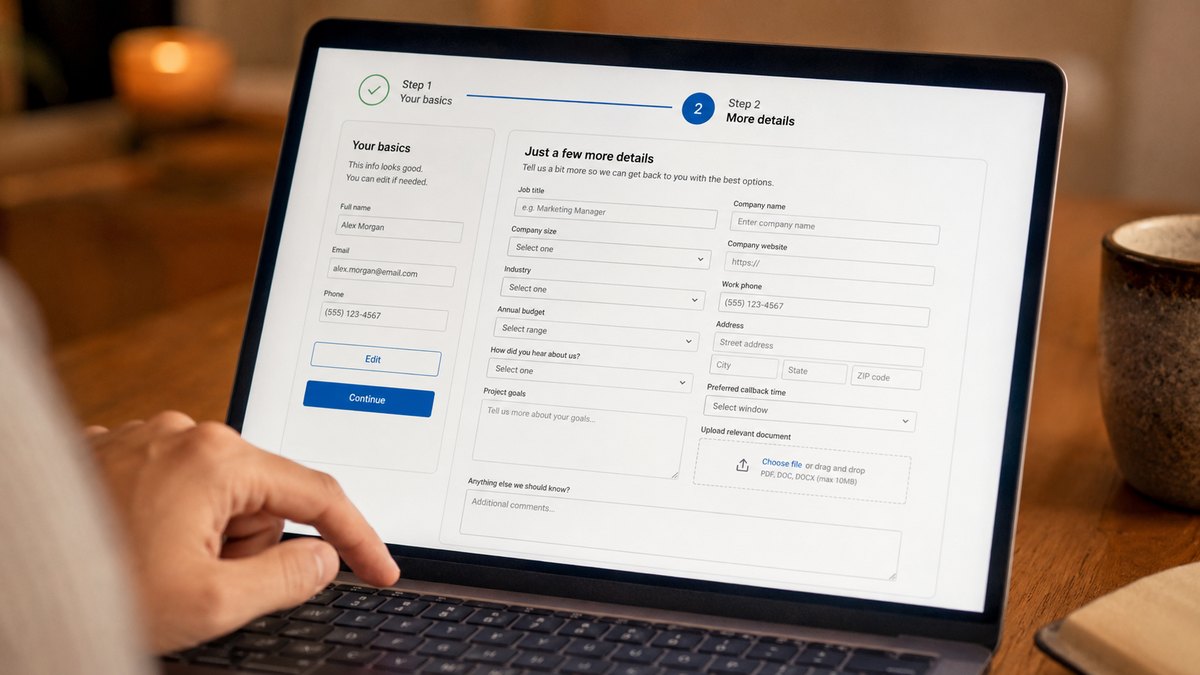
Long forms can put people off, but field count is only part of the problem. Confusing questions, unnecessary information, poor mobile design and asking for too much too soon can all turn genuine intent into abandonment.

Someone finds your website, becomes interested and clicks Request a quote, Book now or Contact us.
Then you give them a form.
And they disappear.
That is a painful place to lose somebody because they were already interested enough to act.
A form is an exchange.
You are asking somebody for effort, information and sometimes personal details in return for something they want.
When that exchange starts feeling harder than the outcome feels valuable, abandonment becomes much more likely.
How friction builds. Each added demand moves a ready customer closer to leaving.
You are asking for too much
Businesses think about the information they would like to collect.
Visitors think about what they are willing to provide right now.
Those are not the same thing.
A simple enquiry may not need a postal address, company size, exact budget, job title and detailed project history before somebody can even speak to you.
GOV.UK's form guidance gives a good general rule: know why you are asking each question and only ask for information you genuinely need.
Sometimes the field is necessary but the reason is not obvious. In that case, explain it.
Phone number
We'll only use this if we need to clarify something about your quote.
A small explanation can remove a lot of uncertainty.
Shorter is not automatically better
A five-field form can still be confusing.
A longer application can work perfectly well if the visitor expects it, the questions make sense and the task is broken into manageable stages.
Baymard's ecommerce checkout research makes an important distinction: the number of fields users need to deal with matters more than simply counting the number of separate steps.
The goal is not to make every form tiny.
It is to ask only what you need, at the point you need it.
Mobile makes small problems bigger
A slightly awkward desktop form can become infuriating on a phone.
The wrong keyboard opens. A button is too small. Autocomplete does not work. An error appears outside the visible area. The keyboard hides the next action.
Web.dev recommends appropriate input types, autocomplete and mobile-friendly controls because these small implementation choices reduce unnecessary effort.
To the developer they may be details.
To the customer they are the experience.
Errors should help people recover
The worst time to make a form harder is after somebody has already completed most of it.
They press submit and see:
There were errors in your submission.
Now they have to hunt.
A useful error tells them what went wrong, where it happened and how to fix it.
And wherever possible, preserve the information they have already entered.
Few things communicate "your time is not important" quite as efficiently as making somebody complete the same form twice.
Watch for unexpected commitment
Sometimes the problem is not the fields. It is what suddenly appears halfway through.
The visitor thought they were requesting a quote.
Now they need to create an account, choose a password, upload documents or agree to marketing.
Baymard's checkout research identifies forced account creation as one reason shoppers abandon checkout.
The wider principle is simple:
Do not quietly turn one action into a much bigger commitment.
Tell people what they are starting and what will happen after they finish.
Measure where people leave
If a form matters commercially, do not track only successful submissions.
Track the whole journey, from viewing the form to completing it, so you can see where visitors are dropping out. If 1,000 people view the form and only 100 start, you have one problem. If 800 start and very few finish, you have another.
You do not need a generic benchmark to tell you what your own form is doing. You need the right tracking.
The useful number is not the example conversion rate. It is where your own visitors disappear.
Make the form feel smaller than the value on the other side
Some effort is unavoidable.
Ask only what you need. Ask it at the right time. Explain anything sensitive or unclear. Make it work properly on mobile. Help people recover from mistakes. Make the next step obvious.
Then measure where your own visitors are getting stuck.
Because once somebody starts the form, you have already earned meaningful intent.
It is worth making sure the form does not throw it away.
Frequently asked questions
How many fields should an online form have?
There is no universal number. Ask only for the information genuinely needed at that stage.
Do shorter forms always convert better?
No. Relevance, clarity, trust and usability matter too.
How can I measure form abandonment?
Track form views, starts, important stages, errors and completions to see where visitors are leaving.
Are people starting your forms but not finishing them?
We can help track where visitors drop out, identify the friction and improve the journey from interest to enquiry, booking or sale.
Let's talk